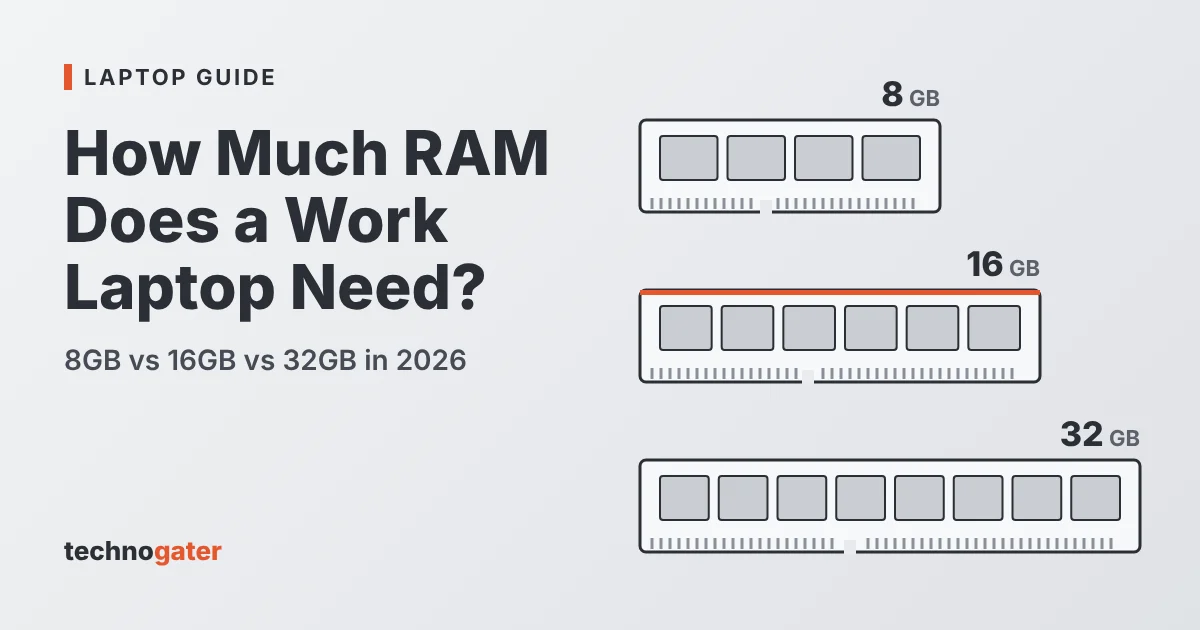
RAM is the one laptop spec you usually cannot fix later. Most thin work laptops now have their memory soldered to the motherboard, so the amount you buy on day one is the amount you live with for the next four or five years. Buy too little and the laptop slows down every time you join a video call with twenty browser tabs open. Buy too much and you have spent money that could have gone on a better screen or a longer warranty.
This guide explains how much RAM a work laptop really needs in 2026, using the published minimums from Microsoft, Apple and Google rather than guesswork. The short answer is below; the rest of the article explains why.
The short answer
- 8GB is the floor. It is enough for email, web apps and documents if you work in one or two apps at a time, but it leaves little room to grow.
- 16GB is the right amount for most office workers in 2026. It handles video calls, a busy browser, Office apps and a chat app at the same time, and it is the minimum for Microsoft’s Copilot+ PC features.
- 32GB makes sense if you work with very large spreadsheets, data or BI tools, photo and video editing, virtual machines or software development.
- 64GB is specialist territory: heavy data work, several virtual machines or running large AI models on the laptop itself.
What RAM actually does
RAM (random access memory) is your laptop’s short-term workspace. Every open app, browser tab, document and background service takes a slice of it. When you switch between apps, the laptop pulls what it needs from RAM almost instantly. Storage, even a fast SSD, is much slower.
When RAM runs out, the operating system moves less-used data out to the SSD and back again as you need it. Windows calls this the page file; macOS uses swap and memory compression. It keeps things running, but you feel it: tabs that reload when you go back to them, a pause when you switch from a spreadsheet to a Teams call, a fan that spins up for no obvious reason. More RAM does not make a laptop faster on its own. It stops the laptop slowing down when you have a lot open.
What the official minimums say
It helps to start with what the software makers themselves publish. These are minimums, not comfortable amounts, but they show where the floor is moving.
- Windows 11: Microsoft lists 4GB of RAM as the minimum to install and run Windows 11. In practice that only covers the operating system with very little else open.
- Microsoft Teams: the desktop app lists 4GB of RAM as its minimum. Microsoft’s own troubleshooting guidance for Teams performance goes further and says computers should have 8GB as a minimum, because Teams needs its own share of memory on top of everything else.
- Copilot+ PCs: to carry Microsoft’s Copilot+ PC label, a Windows laptop needs at least 16GB of DDR5 or LPDDR5 memory, a processor with an NPU rated at 40 TOPS or more, and at least 256GB of storage.
- Chromebook Plus: Google’s Chromebook Plus standard requires at least 8GB of RAM, up from the 4GB found in many basic Chromebooks.
- MacBook Air: Apple ships the 13-inch MacBook Air with M4 with 16GB of unified memory as standard, with higher memory options available at purchase.
The pattern is clear. A few years ago 8GB was the normal amount for a business laptop. In 2026 the mainstream platforms have moved their starting point to 16GB, largely because on-device AI features need memory of their own.
How much RAM for each kind of work
Use this table as a starting point. If your work sits between two rows, choose the higher one: memory needs tend to grow over a laptop’s life, not shrink.
| Workload | RAM | Example laptops (published configurations) |
|---|---|---|
| Email, web apps, documents, one or two apps at a time | 8GB minimum, 16GB preferred | Chromebook Plus models (8GB minimum by Google’s standard) |
| Typical office day: Teams or Zoom calls, a busy browser, Office apps, chat | 16GB | MacBook Air 13-inch with M4 (16GB standard); any Copilot+ PC (16GB minimum) |
| Large Excel models, Power BI, light photo editing, many browser profiles | 32GB | Lenovo ThinkPad X1 Carbon Gen 13 Aura Edition (32GB configuration); MacBook Air with M4 configured with more memory |
| Software development, virtual machines, video editing, data analysis | 32GB to 64GB | ThinkPad X1 Carbon Gen 13 Aura Edition (64GB configuration, listed by Lenovo for Intel Core Ultra 200H “Arrow Lake” models only); mobile workstations |

Is 8GB of RAM enough for a work laptop in 2026?
For some people, yes. If your job is mostly email, a web-based CRM and the odd document, and you close what you are not using, 8GB will work. Chromebooks in particular are designed to run well on modest memory because most of the work happens in the browser.
The trouble is that very few office jobs stay that simple. A Teams or Zoom call with screen sharing, a browser with a dozen tabs, Outlook and a spreadsheet are an ordinary combination, and that is the point where an 8GB Windows laptop starts leaning on its SSD. Because RAM is usually soldered, you cannot add more later. If you are buying for a team and expect to keep the laptops for four years or more, 8GB is a false saving.
Why 16GB is the new normal
Sixteen gigabytes gives a typical office worker comfortable headroom: video calls, a full browser, the Microsoft 365 apps and a chat app can all stay open without the system swapping to disk. It is also the amount that newer software is being designed around.
The biggest change is AI. Copilot+ PC features such as on-device transcription, image tools and search run locally on the laptop’s NPU, and they need memory to do it. That is why Microsoft set 16GB as the minimum for the Copilot+ label. Our guide to what an NPU is and what it does explains how those AI accelerators work alongside the CPU and RAM.
If you are shopping on a budget, 16GB is still the amount to prioritise. Our list of the best laptops under $1,000 in 2026 shows that many mid-range models now come with 16GB as standard, so you rarely have to pay a premium for it.
When 32GB or more is worth it
Thirty-two gigabytes is worth paying for when your work involves holding a lot of data in memory at once. Common examples:
- Excel workbooks with hundreds of thousands of rows, Power Query or Power Pivot models
- Power BI, Tableau or similar dashboards built on large datasets
- Photo editing with large files and many layers, or 4K video editing
- Running virtual machines, Docker containers or a local development stack
- Running local AI models or large language models on the laptop rather than in the cloud
For most of these, 32GB is a comfortable working amount. Developers who run several virtual machines, data analysts working with very large files and people who want to run bigger AI models locally should look at 64GB, which some business laptops now offer as a factory option.
Soldered or upgradeable: check before you buy
Thin and light laptops increasingly use LPDDR5 or LPDDR5X memory soldered directly to the board. It is fast and power-efficient, which helps battery life, but it cannot be upgraded. Lenovo’s spec sheet for the ThinkPad X1 Carbon Gen 13 Aura Edition, for example, lists every memory option as “soldered memory, not upgradable”, and Apple silicon Macs use unified memory built into the chip package.
Some thicker business laptops and mobile workstations still use SODIMM slots, so you can start with 16GB and add more later. If upgradeability matters to you, look for “SODIMM” and the number of slots in the spec sheet. If the sheet says “soldered”, buy the amount you will need at the end of the laptop’s life, not the start.
Other memory specs that matter
- Dual channel: two memory channels give the processor more bandwidth than one. This matters most for laptops that use integrated graphics. A laptop with two 8GB modules is usually better than one with a single 16GB module.
- Type and speed: DDR5 and LPDDR5X are the current standards. Higher speeds help integrated graphics and AI workloads a little, but the amount of RAM matters far more for everyday office work.
- Unified memory on Macs: on Apple silicon, the CPU, GPU and Neural Engine share the same pool of memory. It is used efficiently, but it is also shared, so the same rule applies: choose enough at purchase because it cannot be added later.
How to check if your current laptop needs more RAM
Before you replace a laptop, check whether memory is actually the problem.
- On Windows, open Task Manager (Ctrl + Shift + Esc), choose Performance and then Memory. Look at “In use” and “Committed” during a normal busy day.
- On a Mac, open Activity Monitor, choose the Memory tab and look at the Memory Pressure graph at the bottom. Green is fine; yellow or red means the Mac is working hard to manage memory.
- If memory use sits above about 85 to 90 percent for long stretches, or memory pressure is regularly yellow or red, more RAM will make a noticeable difference. If memory use is low but the laptop still feels slow, the processor, storage or a background app is more likely to be the cause.
Our recommendation
For a work laptop bought in 2026, choose 16GB as the minimum unless the laptop will only ever be used for email and web apps. Go to 32GB if you work with large data, creative files, virtual machines or code, and check whether the memory is soldered before you decide. For specific models, see our guide to the best laptops for office work.
Frequently asked questions
Is 16GB of RAM enough for office work?
Yes. For email, Microsoft 365, Teams or Zoom calls and a busy browser, 16GB is enough for most people and leaves room for AI features in Windows and macOS.
Do I need 32GB of RAM for Excel?
Only for very large workbooks, Power Pivot data models or heavy Power Query work. Typical spreadsheets run comfortably on 16GB.
Can I add more RAM to my laptop later?
Only if it has SODIMM slots. Many thin laptops, and all Apple silicon MacBooks, have soldered memory that cannot be upgraded. Check the spec sheet for “soldered” or “SODIMM” before buying.
Does more RAM improve battery life?
Not directly. Enough RAM stops the laptop from constantly swapping data to the SSD, which can save a little power, but the processor, screen and battery size matter much more.
Sources
- Microsoft: Windows 11 specifications and system requirements (Windows 11 minimum RAM; Copilot+ PC requirements: 16GB RAM, 40+ TOPS NPU, 256GB storage)
- Microsoft Learn: Teams client system requirements
- Apple: MacBook Air tech specs
- Google: Chromebook Plus
- Lenovo PSREF: ThinkPad X1 Carbon Gen 13 Aura Edition spec sheet
